API Explorer - GraphQL Tools & REST API Tools
Apito’s API management platform generates both GraphQL API and REST API tools with database API endpoints based on your models. Use these GraphQL tools and REST API tools for comprehensive API testing and API governance through the API Explorer in Apito Console.
GraphQL Tools - GraphiQL Explorer
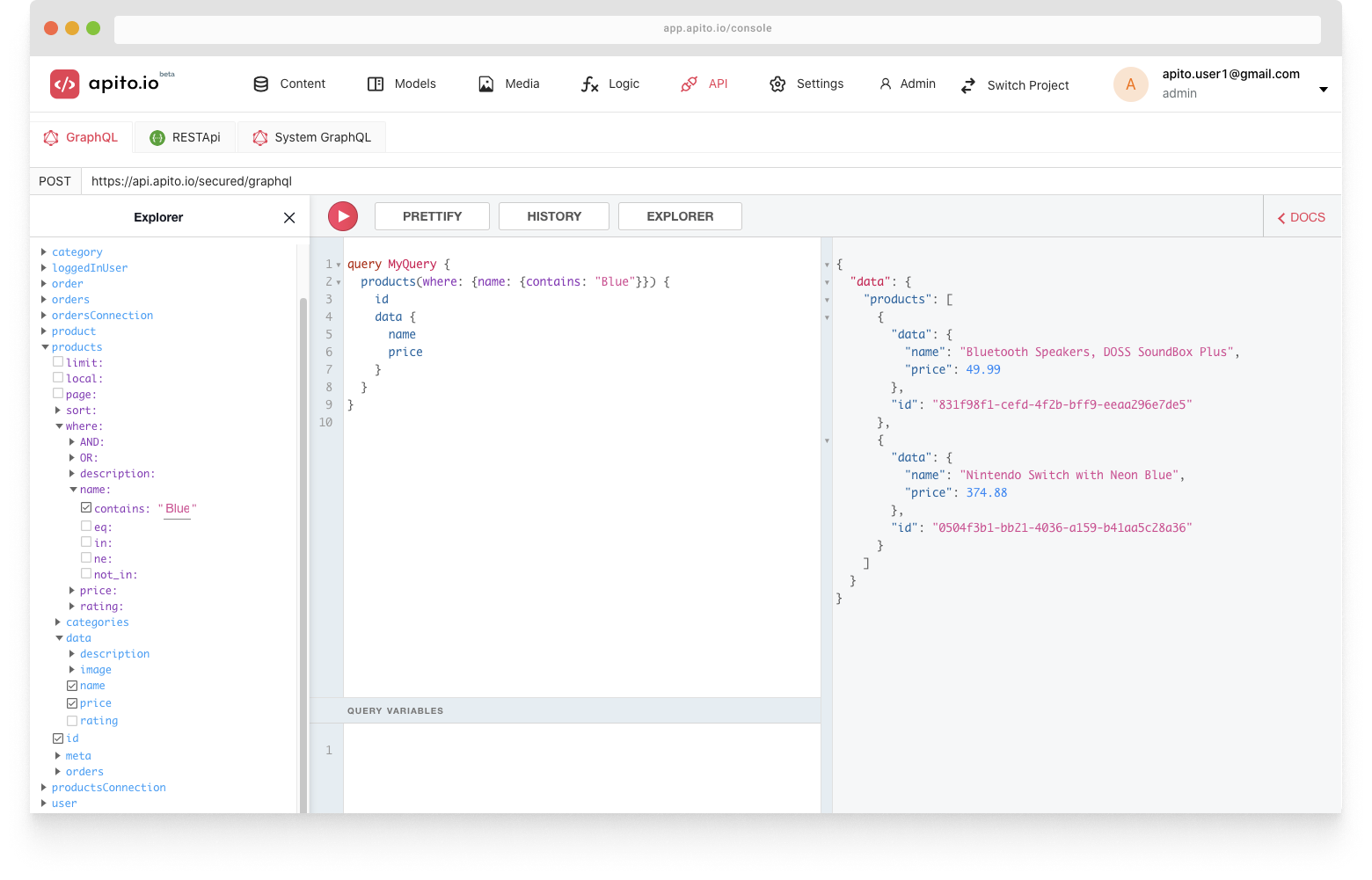
The first component is our GraphQL tools suite featuring GraphiQL Explorer. This powerful API management tool allows you to explore your generated GraphQL API server and database API endpoints before implementation.
You can explore all the Queries and Mutations using these comprehensive GraphQL tools on the left side of the Explorer.
REST API Tools - Swagger UI
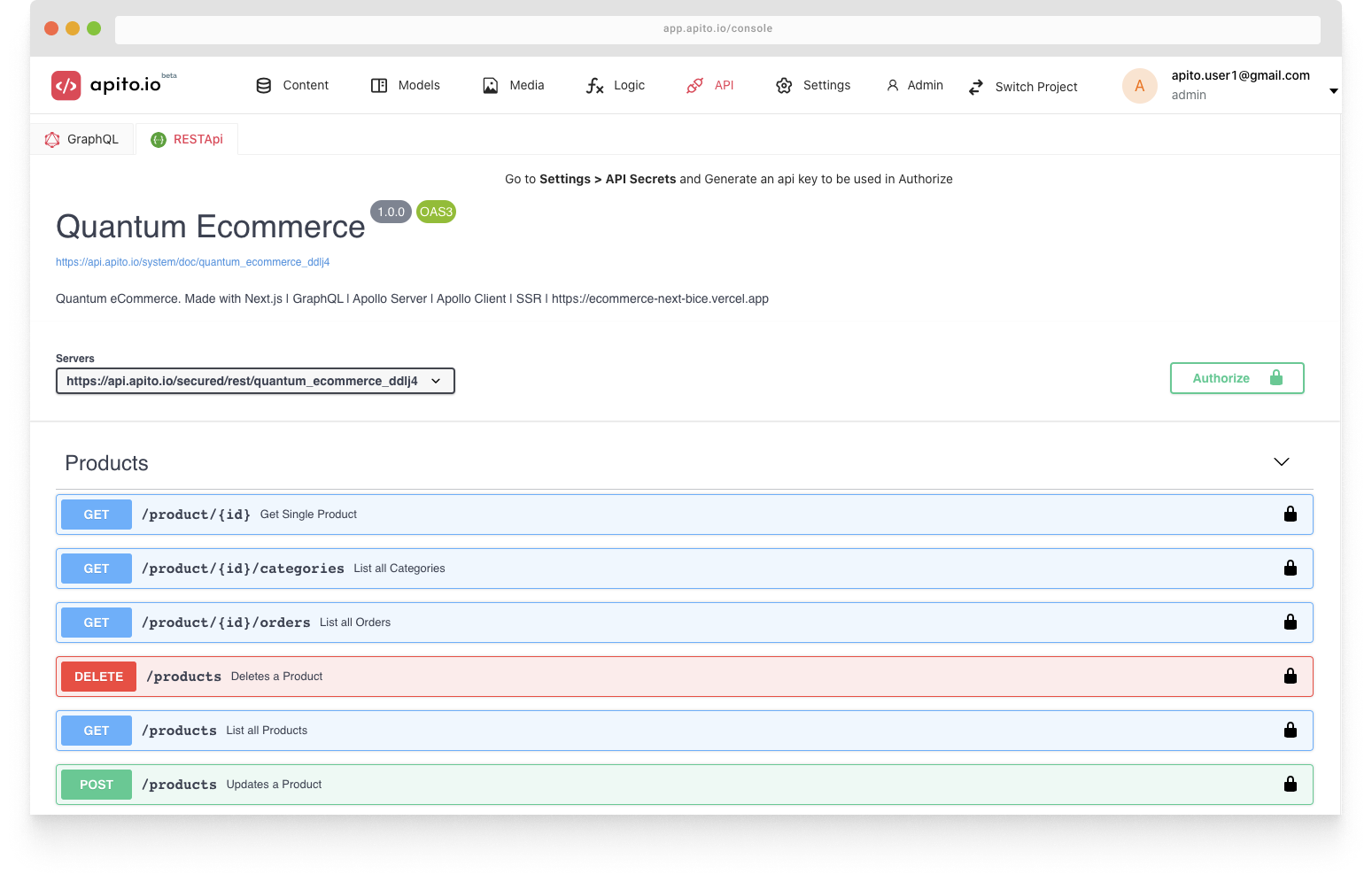
The second component of our API management platform is the auto-generated REST API tools featuring Swagger UI for comprehensive API governance and database API documentation.
Trying Out the RESTApi Online
If you want to test your apito swagger api online or via curl first you have to generate an Api Secret. Click here if you want to know how.
If you already have your api secrets generated then go to API > RESTApi and click on the green authorize button on the top right side.
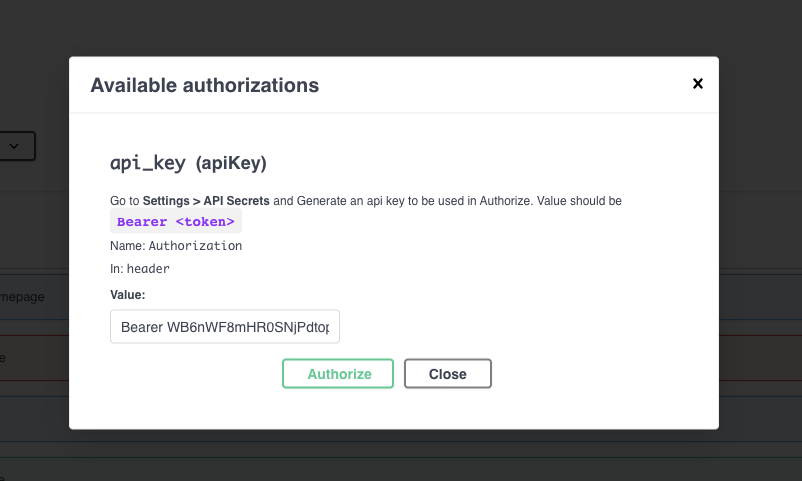
Popup like similar below
will show, and you have to put your Api Secret in the format of Bearer token and click the green Authorize button.
Now click on any rest api from the list and click the Try it out button on the right side of the body of the api. You will be able to see a Blue Execute button
at the end of Parameters body. Click Execute button to try out the api. If your api has content then it will show in the response box, right below.